 Smilora
🤍
Natural whitening
Brightens the teeth in real shade steps while keeping their shape and texture, so the result looks real.
One photo with the tablet camera: Smilora analyses the face and the smile in detail, then shows whitening, cleaning and a tooth gem on the patient's own photo. Use it in the clinic, at reception or anywhere you choose; it runs on tablets and phones as an app.
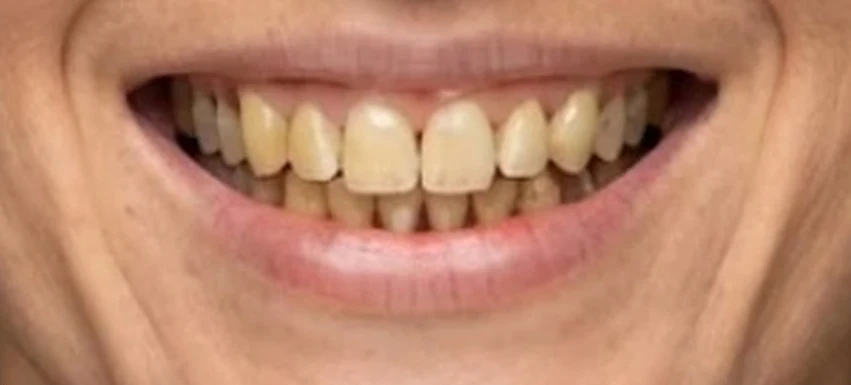
 ⇆BeforeAfter · simulation
Both images came out of the app itself with no outside editing. Drag the line to see the difference, exactly as the patient sees it on the tablet screen.
Built to impress the patient in the first minute, and easy for any receptionist.
Brightens the teeth in real shade steps while keeping their shape and texture, so the result looks real.
Finds tartar and stains and shows the teeth after cleaning.
The patient picks the gem and where it goes, and sees it on their smile right away.
A smile score with symmetry, width and shade, on a clear and striking screen.
Staff type the patient's number and the before / after image arrives with the clinic logo and number.
Sessions, saved and sent images and booking requests, from the control panel.
The patient photo is processed on the tablet itself, never kept on a server, and clears itself.
Turn devices on or off and set their limits from one panel, wherever you are.
Installs on a tablet or phone, opens full screen, and keeps working on a weak connection.
Put the tablet in the clinic, at reception or anywhere you like: the patient takes a photo, sees the new smile, then books from the same screen or gets the image on WhatsApp.
A photo with the tablet camera or from a phone, in under a minute.
The patient watches the app analyse the face and smile step by step.
Book right from the screen, or get the image on WhatsApp.
A subscription per device; yearly costs ten months. Prices are in your currency.
A session = one patient taking a photo and seeing the new smile. If the month's sessions run out, the app keeps going with an on-device preview result until next month or until the limit is raised, and only the staff see a notice.
Yes. Smilora changes only the shade and cleanliness and keeps the teeth and face as they are; the image carries a "simulation" mark because it illustrates, it does not promise a treatment result.
No. The photo is processed on the device and clears itself after each patient. In the advanced simulation only the mouth area is sent for processing, and it is not kept.
Any recent tablet or phone (iPad or Android); it installs as an app from the browser, no store needed.
The patient is never left waiting: the app shows an on-device preview result and the staff see a small notice. Before the subscription ends, a notice appears seven days ahead.
Yes. Each device has its own subscription and limits, all in one control panel.
Message us on WhatsApp; we send the payment options in your country, then activate the device.